

The Four-Week Calendar: Why Your Availability View Matters More Than Your Booking Form
Most conversations about booking software focus on the booking form itself — how easy it is for a guest to complete a reservation online. Less attention usually goes to the view a park's own front-desk team relies on internally, every single day, to actually run the operation: the availability calendar. For a busy front desk, that calendar is used far more often, and far more intensively, than the guest-facing booking form ever is.
The daily reality of a front-desk calendar
On a typical day, a receptionist might check the calendar dozens of times — confirming availability for a phone enquiry, checking a specific unit's status before a guest arrives, glancing ahead to see how the coming weekend is shaping up. A calendar that's slow, cluttered, or requires several clicks to answer a simple question isn't just a minor annoyance in this context — it's a genuine bottleneck, repeated constantly, throughout every single working day.
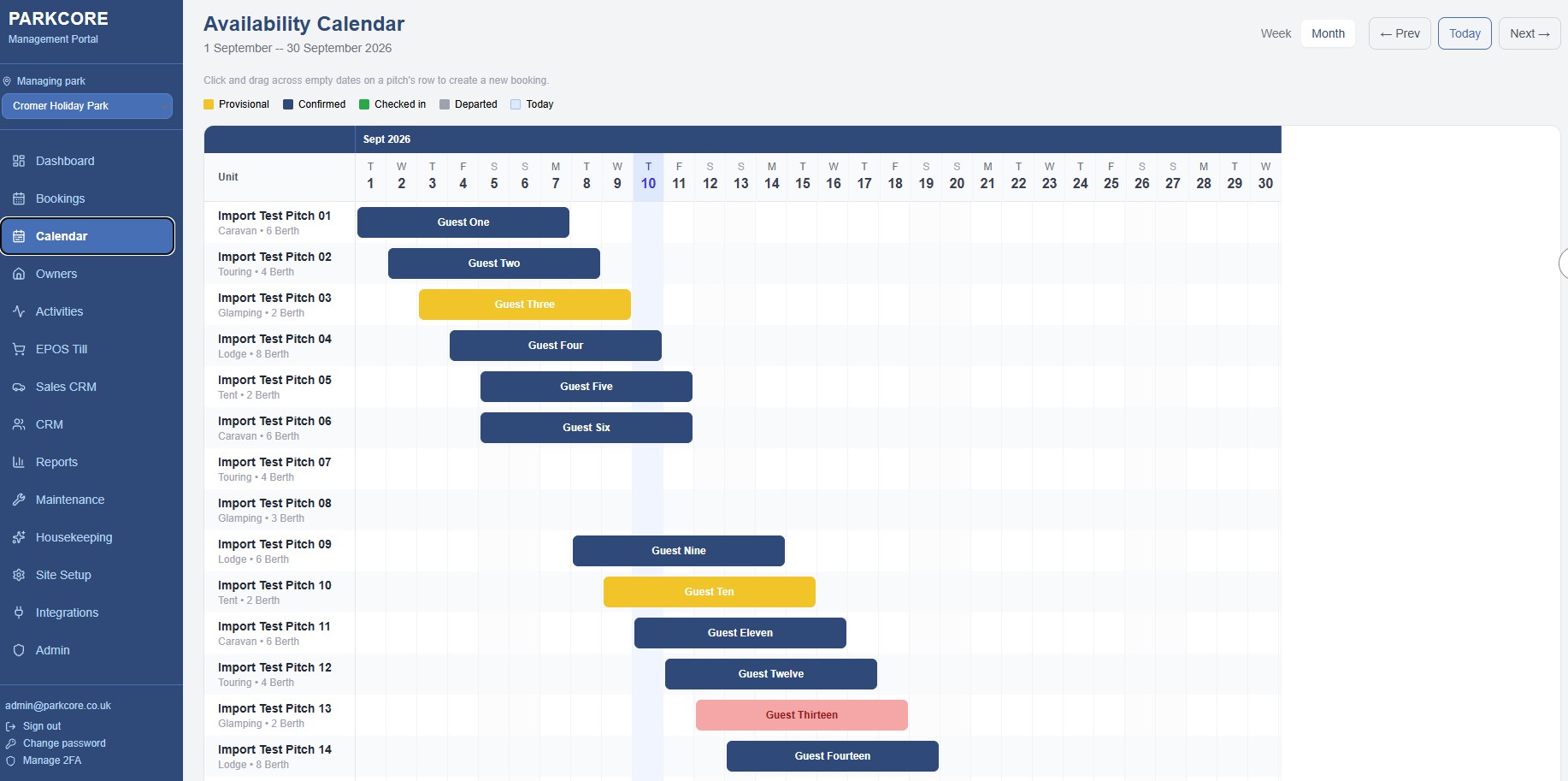
Why a full month view, not a single day, matters
A calendar that only shows one day at a time forces constant clicking back and forth to answer even simple questions like 'is this unit free for the whole of next week.' A four-week grid view, showing every unit's availability at a glance across a full month, answers that kind of question instantly, without needing to piece together several separate day-views manually. For a phone enquiry specifically, where a guest is waiting on the other end of the line, that speed is the difference between a confident, immediate answer and an awkward pause while several screens get checked.
Managing bookings from the calendar itself
Beyond just viewing availability, the ability to click directly into any booking from the calendar — to view or manage it without navigating away entirely — removes a genuine friction point from routine daily tasks. A guest calling to ask about their existing booking, or a quick amendment needed to a date, shouldn't require leaving the calendar view, finding the booking through a separate search, making the change, and navigating back. The whole interaction should be possible from the same screen the team is already looking at, which sounds like a small convenience until it's multiplied across every single booking-related call the front desk fields on a genuinely busy day.
What a cluttered or slow calendar actually costs
It's worth being specific about the real cost of a poor calendar experience, because it's easy to underestimate when it's just 'a bit annoying' rather than a dramatic failure. Multiply a few extra seconds of friction by dozens of daily checks, by every staff member using the system, across an entire season, and it adds up to a genuinely significant amount of accumulated time — time that could otherwise go toward actually serving guests rather than navigating software.
The changeover-day stress test
Any calendar system can look reasonable on a quiet Tuesday in April. The real test is a busy Saturday changeover, with dozens of departures and arrivals overlapping in a tight window, and the front desk needing rapid, accurate answers about unit status under real time pressure. A calendar that holds up cleanly under that kind of load — clear, fast, accurate — is doing genuinely important work at exactly the moment the business needs it most, even though it looks, on paper, like a fairly ordinary piece of software.
Training new staff on the calendar specifically
For a seasonal team, the availability calendar is usually one of the very first things a new starter needs to learn confidently, because so much of the daily job depends on being able to read it quickly and accurately. A genuinely intuitive layout — clear at a glance, without needing a manual to interpret — shortens that learning curve considerably, which matters for a family park bringing on new seasonal staff every spring who need to be productive within days, not weeks.
An unglamorous feature that earns its place
The availability calendar rarely makes it into a flashy feature list or a sales pitch — it doesn't sound exciting compared to automated marketing or a guest CRM. But for the people actually running a park day to day, it's arguably the single most-used screen in the entire system, checked more often than almost anything else, and its quality shapes the daily working experience of the front-desk team more directly than almost any other single feature.
What to actually test during a demo
For any park evaluating a new system, it's worth deliberately testing the calendar during a demo rather than focusing entirely on the flashier features being shown off. Ask to see a full month's view. Ask how many clicks it takes to check a specific unit's status on a specific date. Ask what happens when clicking directly into a booking from the calendar itself. These are unglamorous questions, but the answers reveal more about daily working life on the new system than almost anything else in a typical sales demonstration.
The colour-coding that actually helps
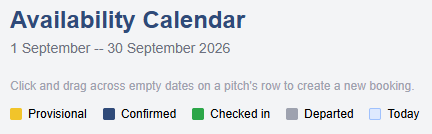
A genuinely useful calendar uses visual cues — colour, clear status labels — to convey a unit's status at a glance, without requiring anyone to read detailed text to understand what they're looking at. Provisional, confirmed, checked-in and departed should be visually distinct enough that a quick glance across a whole month tells a clear story, rather than needing to click into individual entries just to understand the current state of the park.
Consistency across every device used
Front-desk staff increasingly check availability from more than one device — a desktop at reception, a tablet while walking the park, occasionally a phone. A calendar that behaves consistently and remains genuinely usable across all of them, rather than being clearly designed for one screen size and grudgingly tolerated on others, removes yet another small source of daily friction for a team that's often moving between locations throughout their shift.
The calendar as a planning tool, not just a lookup
Beyond
answering 'is this available right now,' a genuinely good calendar view
supports forward planning too — spotting a quiet week worth a targeted
promotion, or a busy stretch worth double-checking staffing for, simply by
scanning the pattern across several weeks at once. That kind of visual,
at-a-glance planning is difficult to do from a system that only ever shows one
day, and genuinely easy from one built to show a proper month-wide view as its
default, everyday screen.

Born in Colwyn Bay North Wales, Steve's introduction IT & Computers was at secondary school in 1974. That first year, Machine Code was hand written onto gridded paper and sent to Connah's Quay Technical College where is was copied to punch card and then entered into a mainframe computer. The results printed out were sent back for the following week! Yes Steve was around before the Internet and was coding the hard way.
Steve left School in 1976, or as he prefers to say, “I ran away from home and joined a flying circus” - joining the Royal Air Force to work as an Electronics Engineer on analogue and digital RADAR and communications equipment. His last 5 years in the RAF he worked in an Automatic Test Equipment (ATE) department on the System Management Team and also writing models for Microchips. It was a good job that he had kept up with computers which had become rather a passion by the time he started in ATE. After 8 specialist programming courses for ATE Programming and a Cluster Start Course for SystemAdministration, Steve was one of the most flexible people in the department.
During that time the main Mainframe we replaced in a £3.9 million upgrade reducing the run time of the biggest ATE program from just under 2 weeks to the time it took for a finger to come off a depressed return key!
Leaving the RAF after 18 years’ service, Steve worked for a Charity (Apex Leicester Project) before returning to electronics at Sonatest in Milton Keynes which after 3 or 4 years led to a Job at Telematica; the then development arm of Trafficmaster PLC (Tm). Eventually brought in-house at Tm he worked moved into the IT Support Team of 5 people looking after 300 users in the UK as well as sites in Italy, Germany and Benelux countries – 24x7 cover. His last project moving email from a Linux Box to Microsoft Exchange for the 300 users in the company each of whom typically had 5 email addresses.
In 2006 Steve left to start his own company back in North Wales, Computer Technical Solutions Ltd (CTS) was an MSP and became an MSSP following another of Steve's passions Cybersecurity. Whist working full time running CTS, Steve completed a Masters Degree in Computer Science with Cybersecurity at Wrexham University.
Officially semi-retiring in 2025, by May 2026 that overactive mind started thinking about all of the software he had seen not just for MSSPs but also for his clients that was either extremely expensive or that didn't exist with a complete answer to the needs of the SME.
By August 2026 Angstep Ltd was formed and two significant pieces of software had been created. Netmon the Network Monitoring Software and the second release Parkcore aimed at Caravan/Lodge Holiday Parks, now in the final development stages and under Beta Release. Determined, focused and loving life… And so, it begins!